Mermaid Ai Video Editing – Mermaid-style video editing is currently gaining immense popularity, so I thought—why not share the editing process with you? After all, this is exactly how such videos are being created. Moreover, you don’t need to record a multitude of clips; by simply using a single, basic video, you can produce a result that looks completely professional. In this article, I will outline the specific tools we will use—tools that can prepare your video entirely for free, ensuring a seamless process without any issues. I will explain everything step-by-step so you can follow along and create your own video in no time!
Details Of Mermaid Ai Video Editing
This video unfolds in a specific manner: it is presented as if we are seated in a boat, and a mermaid emerges from the water to gaze at us from alongside our vessel. She remains standing there—submerged in the water—and subsequently, the camera pivots toward us, focusing on our face to depict us either conversing with her or simply observing her. This unique stylistic effect is achieved quite simply; we will utilize just a single photograph, and the rest of the professional-quality video will be generated automatically—requiring no further effort on your part.
Which Tool We Should Use For Editing
You will find a multitude of tools available to perform this type of editing; however, I will specifically introduce you to the free options—such as Google Flu or Google E3—along with several other tools that can generate videos for you at no cost. Nevertheless, to create this specific type of video, you should utilize Grok AI, as it delivers truly exceptional results. Content of this nature is currently going viral across social media platforms; creators are using Grok to execute their edits, posting the results, and subsequently achieving viral status. I have now demonstrated this editing technique—showing you exactly how you, too, can apply it to go viral.
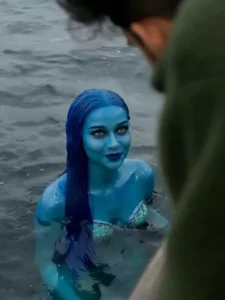
A cinematic transformation scene where the uploaded photo gradually morphs into a realistic ocean environment. The person in the image is now sitting on a wooden boat in the middle of a deep blue sea under a cloudy sky. The camera slowly pans from a wide aerial shot to a close-up of the person leaning slightly over the edge of the boat.
Suddenly, water ripples intensify and a mystical mermaid emerges from the ocean, with glowing blue skin and long flowing wet hair. She rises gracefully near the boat, looking directly at the person. Water droplets splash in slow motion, creating a dramatic and magical atmosphere.
The lighting is moody and cinematic, with soft fog, ocean waves moving realistically, and wind affecting hair and clothes. Add subtle background sound of waves and people murmuring in surprise.
Style: ultra-realistic, cinematic, 4K, shallow depth of field, dramatic lighting, smooth transitions, slow motion, fantasy realism.
How To Generate AI Video
To perform this dance-style editing, a specific prompt has been provided within this article; using it is essential. Since this prompt is the key to generating your unique photos and videos, your first step is to copy it. Next, click on the “Create Image” button located below, where you will find a link to the relevant group. If you are using the dedicated application, you can follow the exact same procedure within it as well. Begin by selecting the “Create Image” option, then tap the “+” icon to upload your photo. Here, you will perform the editing by aligning your chosen photo with the style dictated by the prompt. Specifically, you will first select a photo that complements the prompt we have provided. Afterward, paste the prompt into the designated field within the group interface, use the “+” icon to upload your photo, and initiate the generation process. This will create and finalize your video in just a few seconds.
Conclusion
In this way, you can very easily create this viral social media trend edit. I hope you liked this editing style. If you enjoyed this, you can also check out the template-based editing tutorials I have shared. I have already covered a wide variety of such editing techniques. If you find those appealing, please be sure to let me know in the comments—or feel free to suggest a new topic for future tutorials.