Kahan Tu Kaha Mai VN Code Template – There’s an editing style that’s going viral right now. You can use it to create edits for your favorite celebrity or influencer. If you have a favorite influencer, celebrity, or anyone else, you can create one for them. I’m going to show you how to create it and why this type of editing is becoming so popular. You should definitely know about it. This kind of editing is currently very popular on Instagram. I thought I’d explain it in the simplest way possible, showing you how to create it and how to make it go viral. I’ll explain everything step by step.
Details Of Kahan Tu Kaha Mai VN Code Template
The editing process involves something like this: at the beginning of our edit, a screenshot of a big influencer’s or celebrity’s Instagram ID is shown, followed by a screenshot of your Instagram ID. Then, videos of that influencer, celebrity, or whoever it is, start playing. Three or four clips of them will be used, so you need to prepare three or four clips of your favorite person. Also, have their Instagram ID ready. Let me explain what other things you need to prepare so that your video is perfectly ready and requires no further work.
What Do You Need To Make Perfect Editing
What do you need to have ready to make your editing absolutely perfect? First, take a screenshot of your favorite person’s Instagram profile. Then, take a screenshot of your own Instagram profile. After that, gather some video clips of your favorite person. If you don’t have videos, you can use photos. Try to have at least four or five. Now, here’s how to add them: First, add the Instagram clip of your favorite person. Then, add the screenshot of your own Instagram profile. After that, for all the remaining clips, use video clips or photos of your favorite person.
How To Use Kahan Tu Kaha Mai VN Code Template
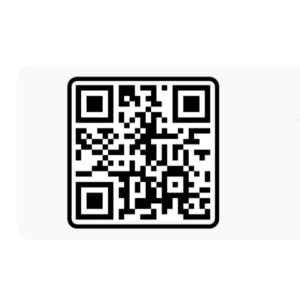
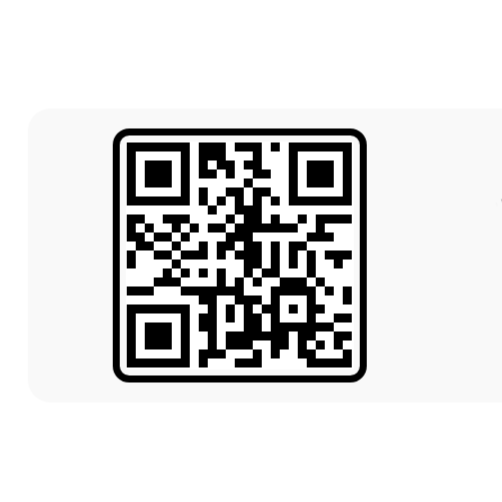
Now, a code has been shared with you to create this video. This code will make your edit absolutely perfect, so first, take a screenshot of this code. Then, open the video editor application. You’ll find a scanner option at the top. Click on it. Then, click on the gallery option and select this code from your gallery. Once you select it, you will get a project file. Download it, and after it’s downloaded, you can use it in the future if you want; it gets saved. After that, click on it and add your clips from there. Then click next, and it will prepare a final preview of your video. Now, you will see the editing options. If, for example, something is cropped too much, you will find the clips at the bottom. Adjust them there and then export the video.
Conclusion
I hope you absolutely loved this code-based editing tutorial because I’ve put in my 100% effort to make sure you understand everything perfectly and can create a perfect video. Everything is explained step by step, so follow it carefully to complete your editing. If you still have any difficulties or don’t understand something, feel free to ask us, and we’ll guide you on what you need to do.