Tahniyon Tutte Phul Capcut Template – If you want to create a close-up video set to a trending song, then in today’s article I’ll explain how to do the editing. This involves recording the video focusing on your face. You’ll record video clips from different angles with different expressions. A total of four clips will be used. You need to record four clips, and these are the clips you’ll need for this type of editing. After that, a template will be provided. With the help of this template, you can easily create this type of video. In this article, I’ll show you how to do this kind of editing and how simple it is to create.
Breakdown Of This Editing
Let’s break down the settings now, discussing the types of ratings and what features we’ll see. I’ll explain everything in detail. In our first clip, you’ll see a cross animation right at the beginning. This is the animation you’ll see, and understand this: all the clips added to your entire video will have slow motion. Then, in the next clip, we’ve added another animation. You’ll see a flash animation there. And this clip will also have a cool slow-motion effect. Then, as the lyrics part ends and the next lyrics appear, another clip comes in. You’ll see that clip with a transition in between. Both clips change with a transition. There’s a transition called “Light Leak Effect” that’s applied here. Then, finally, there’s one more clip at the end, which also uses a similar shake effect. So, a total of four clips have been used here.
How To Use Tahniyon Tutte Phul Capcut Template
Now I’ll explain the tutorial and how to use it. You won’t have to put in much effort. I’ll get straight to the point without any unnecessary talk. First, make sure you have all your video clips ready for this editing process. Once you have your video clips ready, you’ll be provided with a template. You’ll see a “Check Template” button that you need to click. You should only click this button when you’re ready. Sometimes, if you’re in a different country, like India, it might not work for you. These are CapCut’s own restrictions; there’s no problem on our end. If you’re not from India and are from somewhere else, it will work for you. When you click it, it will take you directly to CapCut. There, you’ll see a preview of the template. All the editing details I’ve mentioned here will be visible there. Below, you’ll find the option to use it. You’ll also find options for liking and commenting, just like you see on Instagram Reels. Click on it, add your clips, and then click “Next” to finalize and get your preview ready.
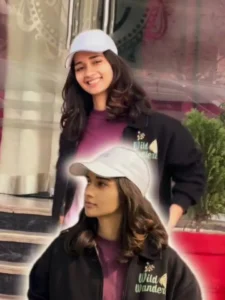

How to customize a template:
You’ll need to customize it, and you should learn how to do that. You can make your editing more advanced over time. Here’s what you need to do: Whenever you want to customize your editing in a template, don’t make this mistake: After exporting your clip, don’t add the edited clip back for further editing. This will degrade the quality. When you go to export, you’ll find an “Edit More” option. Click on it, and you’ll be taken to the CapCut editing dashboard, where you’ll find all the details, just like when you normally go to edit. From there, you can go to the effects section and change any effects according to your needs. For example, if you want to add a blur effect, add the blur effect from there and place it in the correct position. Blur effects are most commonly used at the beginning of a video. Similarly, if you want to apply filters, like making your video look cinematic, go to the filters section, search for “cinematic,” and you’ll find several filters. You can then apply them to your clip.
Alternative Templates
You should definitely know about this alternative template as well. Look, if you’re using this kind of template, you can find even more slow-motion templates like this. You’ll find many templates on our website. If you need more, just go to the CapCut application, then go to the templates section. There, search for “Healing Thailand template,” and this template will be the best for you if you want to do this kind of editing. It will give your editing a perfect slow-motion look with effects. This is the kind of result people want. Try it once, and you’ll understand for yourself.