Chibi Style Ai Photo Editing Prompts – You have likely been seeing these “chibi-style” edits circulating on social media recently. People are going viral by creating such edits, and let me tell you—in today’s digital landscape, you no longer need complex, custom editing skills to achieve this look. You can create these viral-worthy edits by simply following a straightforward process. In this article, we will discuss exactly how to do this and walk you through the steps involved. If you are even slightly interested—and especially if you aspire to create a viral, professional-quality photo—then you should definitely follow this article. We will explain everything in detail and with complete clarity; once you are finished, you will be delighted with the exceptional results. So, if you are keen to give it a try, follow this article—you won’t be disappointed with the outcome!
Details Of Chibi Style Ai Photo Editing Prompts
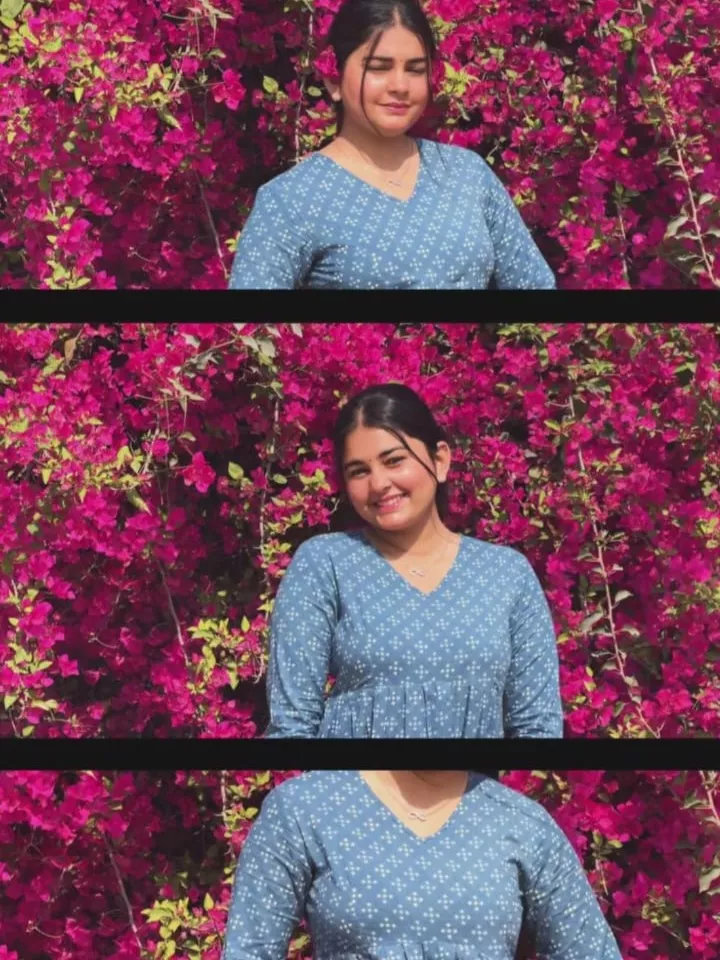
How exactly does this “chibi-style” editing look? The editing style appears something like this—let me explain. Here is how it works: one of your actual photographs is utilized. This real photo undergoes a complete modification process. However, this doesn’t mean you will see an entirely different background; on the contrary, the background elements remain exactly as they were. The only change is that the background is blurred, causing your subject to stand out sharply. You will then notice an outline encircling your subject. Following that, 3D characters rendered in the chibi style are placed all around it. Finally, text elements are also incorporated into the composition, creating an overall aesthetic that conveys a distinct, static-style vibe.
How Do You Create This Chibi Image
Come along—let’s learn how to do Chibi-style editing! Look, if you want to create this viral style of edit, it’s really no big deal in today’s day and age. You can achieve this result by simply following a straightforward process. To get started, the very first step is to copy the specific prompt provided on our website. Next, open ChatGPT; once there, click on the “plus” icon to select your best photograph. Keep in mind that this process works best with a photo that is already well-edited—it won’t completely replace the background or change your outfit. Instead, it will simply transform your image into that distinct Chibi aesthetic. So, what do you do next? Simply paste the prompt you copied into the interface and hit “Generate.” In just a matter of seconds, your photo will be ready!
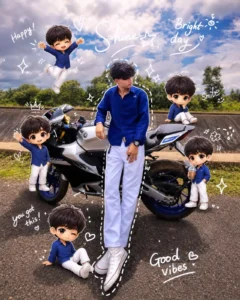
Use a real face as a reference photo.The background is the same as in the photo. The lighting is warm, soft, and clean, with subtle shadows. Around the image, add several mini chibi (3D cute style) versions of the character. while maintaining the original facial features.expressions: jumping cheerfully waving sitting relaxedholding a drink cute and playful expressions Add hand-drawn white doodle elements: outline around the main body stars, hearts, sparkles motion lines small cute icons Add aesthetic handwriting such as: "shine," "bright day," "happy," "smile," etc. (casual doodle font) Overall style: clean & aesthetic composition white sticker outline soft pastel color tone high detail 3D chibi glossy look cute Korean style instagrammable 4:5 ratio
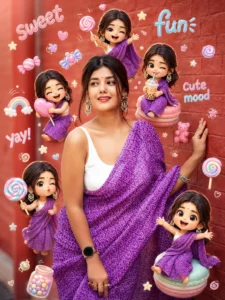
Use a real face as reference. Same background. Bright soft lighting with candy-color highlights. Surround with mini 3D chibi versions holding lollipops, candies, drinks, making playful expressions. Add doodles like candy shapes, stars, swirls, cute icons. Include handwritten text like “sweet,” “fun,” “yay,” “cute mood.” Style: vibrant pastel palette, glossy chibi texture, playful Korean Instagram vibe, clean layout, 4:5 ratio.
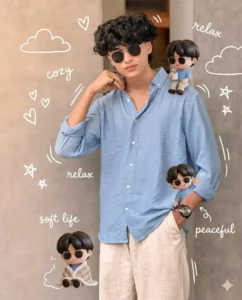
Use a real face as reference. Keep background. Warm cozy lighting (slightly golden tone). Add mini 3D chibi characters doing cozy activities (holding coffee, sitting, relaxing, smiling). Add doodles like clouds, hearts, tiny stars, soft lines. Include handwritten text like “cozy,” “relax,” “soft life,” “peaceful.” Style: soft muted pastel tones, glossy chibi, Korean cozy aesthetic, clean layout, 4:5 ratio.
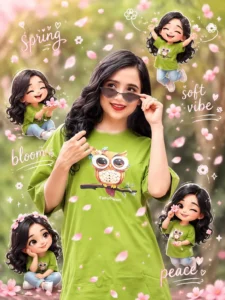
Use a real face as reference. Keep original background. Soft warm lighting with gentle pink tint. Add 3D chibi mini characters playing with falling sakura petals (jumping, catching petals, sitting). Add hand-drawn white doodles like petals, wind swirls, hearts, sparkles. Include handwritten words like “spring,” “soft vibe,” “bloom,” “peace.” Style: Korean aesthetic, pastel pink tones, glossy chibi, soft romantic feel, sticker outline, 4:5 ratio.
Why this style of editing is going viral
First, let’s understand why this specific style of editing is going viral. Look—people realize that this editing trend is blowing up, but most fail to grasp why that is happening. The key lies in the fact that, first and foremost, this type of editing is incredibly easy to create; it doesn’t require advanced editing skills. Consequently, you see a vast number of people creating photos in this style. Furthermore, it features various 3D characters that help generate quite adorable images. An outline is created around your body, lending your photo a distinct aesthetic vibe. It is precisely these elements that people are finding so appealing, driving the trend to go viral.
Conclusion
I hope you have successfully created a great photo using the prompt; however, let me tell you this: in today’s environment, it is absolutely essential for you to do something unique. You must continuously learn new techniques—specifically new editing skills—as time goes on, and keep uploading your work. This will not only enhance your editing proficiency but also consistently yield excellent results.