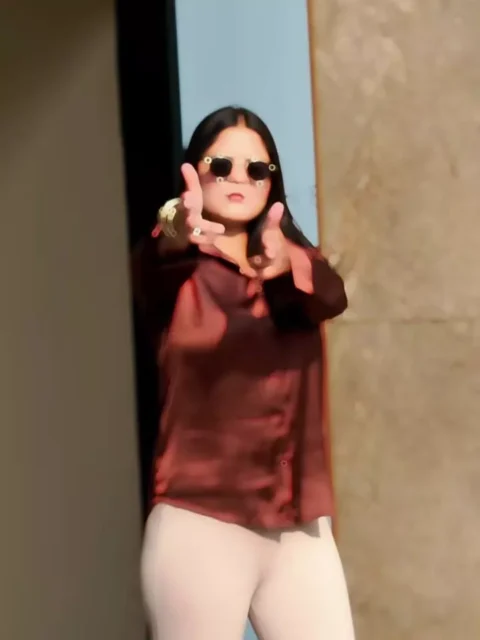
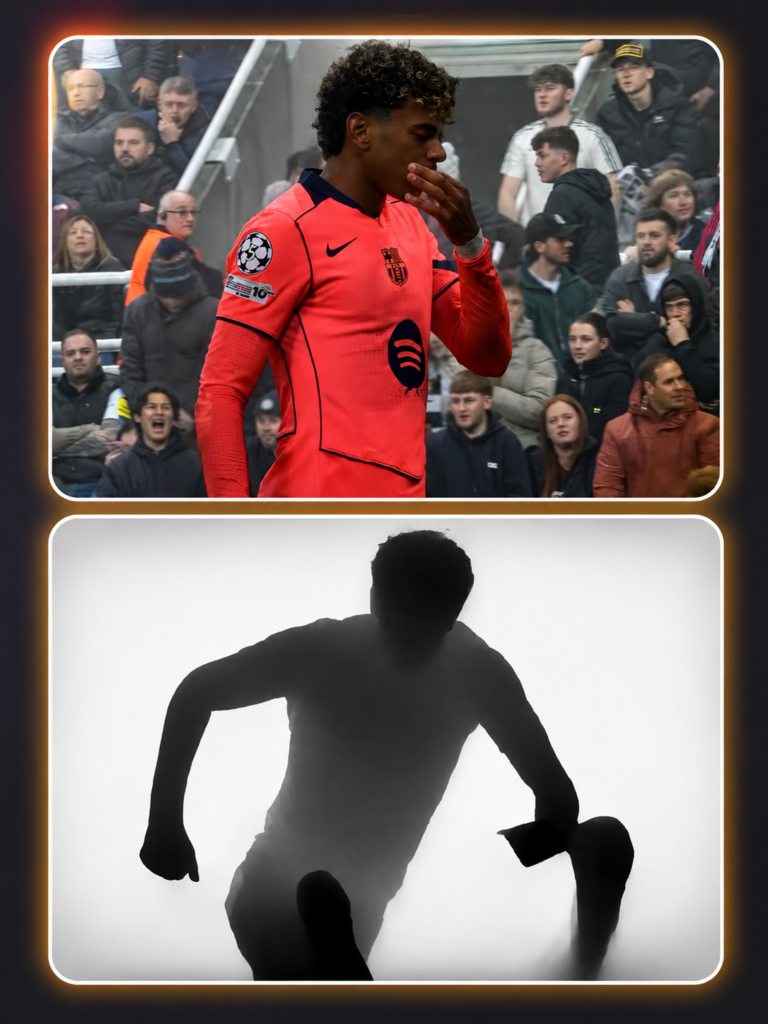
The Depth Style CapCut Template 2026 is becoming a popular choice for creators who want to give ordinary clips a dramatic and eye-catching appearance. This editing style uses a striking depth or silhouette effect where the subject can appear as a dark shadow against a bright background, followed by smooth transitions synchronized with music.
If you have seen this type of viral Depth Effect video on Instagram Reels or other short-video platforms and wondered how it is created, you do not need advanced editing skills. A ready-made CapCut template can handle most of the difficult work automatically.
In this guide, we will explain the Depth Style CapCut Template, how the effect works, and how you can use it to create your own trending video in just a few steps.
What Is the Depth Style CapCut Template 2026?
The Depth Style CapCut Template 2026 is a ready-made video editing template designed around the popular depth-effect editing style.
The video normally begins with a regular clip. After a transition, the subject changes into a dark or black silhouette while the surrounding background becomes bright or white. This creates a strong contrast between the person and the background.
The template may then combine several short clips with zoom effects, beat synchronization, flashes, and smooth transitions.
When these effects are properly matched with music, even simple footage can look much more cinematic and engaging.
Instead of manually creating every transition, you can simply add your media to the template and allow CapCut to apply the preset editing sequence.
Why Is the Depth Effect Video Trending?
One reason the Depth Effect CapCut Template attracts attention is its visual transformation.
A normal clip suddenly changing into a silhouette creates an unexpected moment in the video. This can help make the opening or beat-drop section more interesting for viewers.
The style is especially suitable for:
- Instagram Reels
- Short cinematic edits
- Attitude videos
- Fashion and outfit edits
- Beat-sync videos
- Portrait video edits
- Before-and-after transitions
The final result will depend heavily on your original footage. Videos with a clearly visible subject and a less distracting background generally give the template better material to work with.
Note: Some CapCut templates may not be available in certain countries or regions due to restrictions imposed by CapCut. If the Use Template button doesn’t work, try opening the link directly in the latest version of the official CapCut app or try again later. Clicking the button will redirect you to the original CapCut template in a new tab. We are not affiliated with or endorsed by CapCut. All trademarks, templates, logos, and related content remain the property of their respective owners. We simply provide links to publicly available templates for informational and user convenience.
What Is a CapCut Template?
A CapCut template is essentially a pre-designed editing project.
Instead of manually adding effects, transitions, animations, keyframes, and beat timing, the creator of the template has already arranged these elements.
You mainly need to choose your photos or video clips.
After importing them, the template automatically places your media into its predefined sequence. You can then preview the video before exporting it.
This makes templates useful for beginners who want to try trending editing styles without learning complicated timeline editing first.
On Rohan Editz, we regularly cover trending editing ideas and templates so creators can discover new styles and understand how to use them.
Features of Depth Style CapCut Template
The exact effects can vary depending on the template version you select. However, a viral Depth Style CapCut Template may include features such as silhouette transformations, white backgrounds, smooth zooms, rapid transitions, beat synchronization, flashes, and multiple clip changes.
The combination of these elements gives the video its distinctive appearance.
For better results, try selecting clips with similar lighting and a clearly separated subject. Random clips with completely different lighting conditions may make the transitions appear less consistent.
How to Use Depth Style CapCut Template 2026
Using the template is straightforward, even if you have little editing experience.
Step 1: Open CapCut
Install or update CapCut on your device before starting. Using a recent version may help avoid compatibility problems with newer templates.
Step 2: Choose the Template
Open the template using the provided Check Template option. If the template is available for your device and region, it should redirect you to CapCut.
Step 3: Select Your Clips
Tap the option to use the template and choose the required photos or videos from your phone.
For the depth effect, choose footage where the main person or object is clearly visible.
Step 4: Preview the Video
Allow CapCut to process the selected media. Watch the complete preview and check whether the silhouette transformation and transitions look natural.
Step 5: Replace Clips if Necessary
If one clip does not fit the effect properly, replace it with another. Testing two or three different clips can make a noticeable difference.
Step 6: Export Your Video
Once you are satisfied with the preview, select your preferred export settings and save the finished video.
You can then upload it to Instagram Reels or another supported platform.
Tips for Creating a Better Depth Effect Video
A template makes editing easier, but the source footage still matters.
Record your video in good lighting and keep your subject clearly visible. Avoid extremely dark footage because the depth transformation may lose important details.
Vertical footage is generally more convenient when your final destination is Instagram Reels or similar vertical-video platforms.
You should also pay attention to the first few seconds. A clean opening followed by the depth transformation can make the effect more noticeable.
Most importantly, do not simply copy every viral video. Use the Depth Effect CapCut Template as a starting point and add your own clips, poses, locations, or visual ideas.
Depth Style CapCut Template Not Working?
Sometimes a template link may not open correctly.
First, check whether CapCut is installed and updated on your device. You can also try reopening the template link from your mobile browser.
Template availability may vary by region, device, app version, or the original creator’s settings. A template can also become unavailable if its creator removes or changes it.
If one version does not work, try another available Depth Style video template with a similar effect.
Final Words
The Depth Style CapCut Template 2026 provides a simple way to recreate the popular silhouette and depth transformation without building the entire edit manually.
Choose clear footage, apply the template, preview the transitions, and replace any clips that do not fit properly. A few small adjustments can make the final video look considerably cleaner.
If you enjoy experimenting with viral editing styles, keep checking Rohan Editz for more CapCut templates, video editing ideas, and trending effects.
Frequently Asked Questions
What is the Depth Style CapCut Template?
It is a ready-made CapCut template that uses depth, silhouette, transition, and beat-sync effects to transform regular footage into a stylized video.
Is the Depth Style CapCut Template free?
Many CapCut templates can be used without paying, although availability and individual features can vary by app version and region.
How do I create a viral Depth Effect video?
Choose clear footage, apply a suitable depth-effect template, check the timing and transitions, and export the finished edit for your preferred short-video platform.
Can beginners use this CapCut template?
Yes. Templates are particularly useful for beginners because most effects and transitions are already arranged.
Why is my Depth Effect not looking good?
The original footage may have poor lighting, a cluttered background, or an unclear subject. Try replacing the clip with one that has stronger subject-background separation.
Can I use the template for Instagram Reels?
Yes. You can create your edit with the template and export it for use on Instagram Reels, subject to the platform’s normal content and music rules.